
Organize, Track, and Grow With Client Management
Nuvioo’s Client Management keeps all client details, payments, and interactions in one place, helping you strengthen relationships and grow smarter.
Contact Us
We will get back to you as soon as possible.
Please try again later.
Manage Every Client in One Hub
Unified Client Profiles
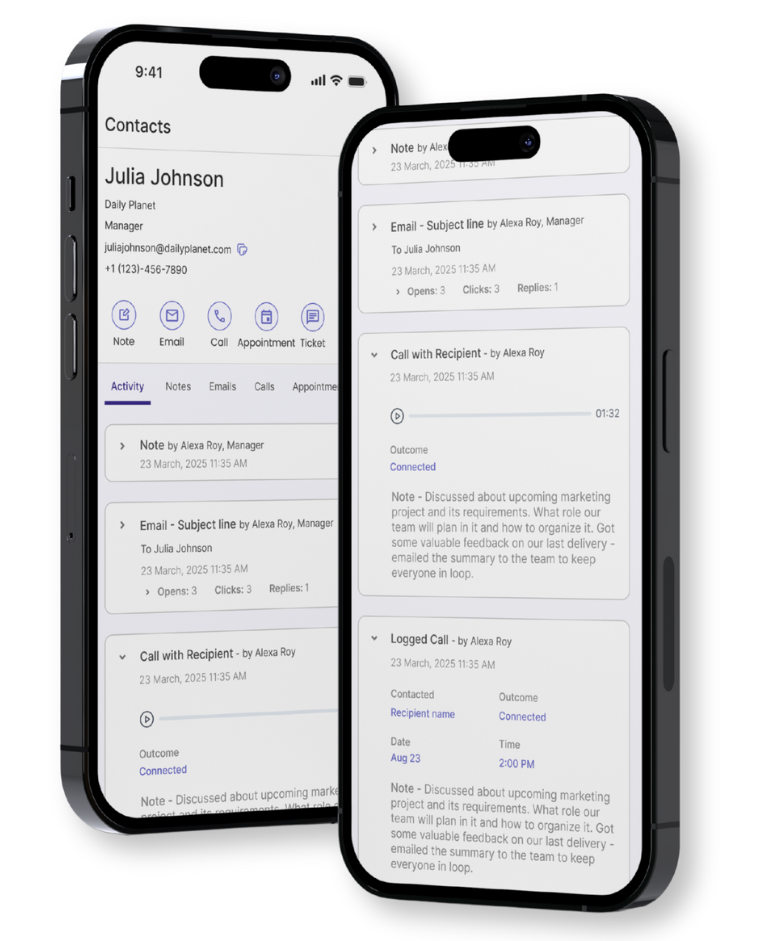
Keep complete client records from contact details to appointments and billing, all in one connected profile.
Activity Timeline
See the full history of calls, texts, emails, and visits in one chronological view.
Custom Fields & Tags
Tailor your CRM to fit your business with tags and fields for personalized organization.
Built to Give You Insight
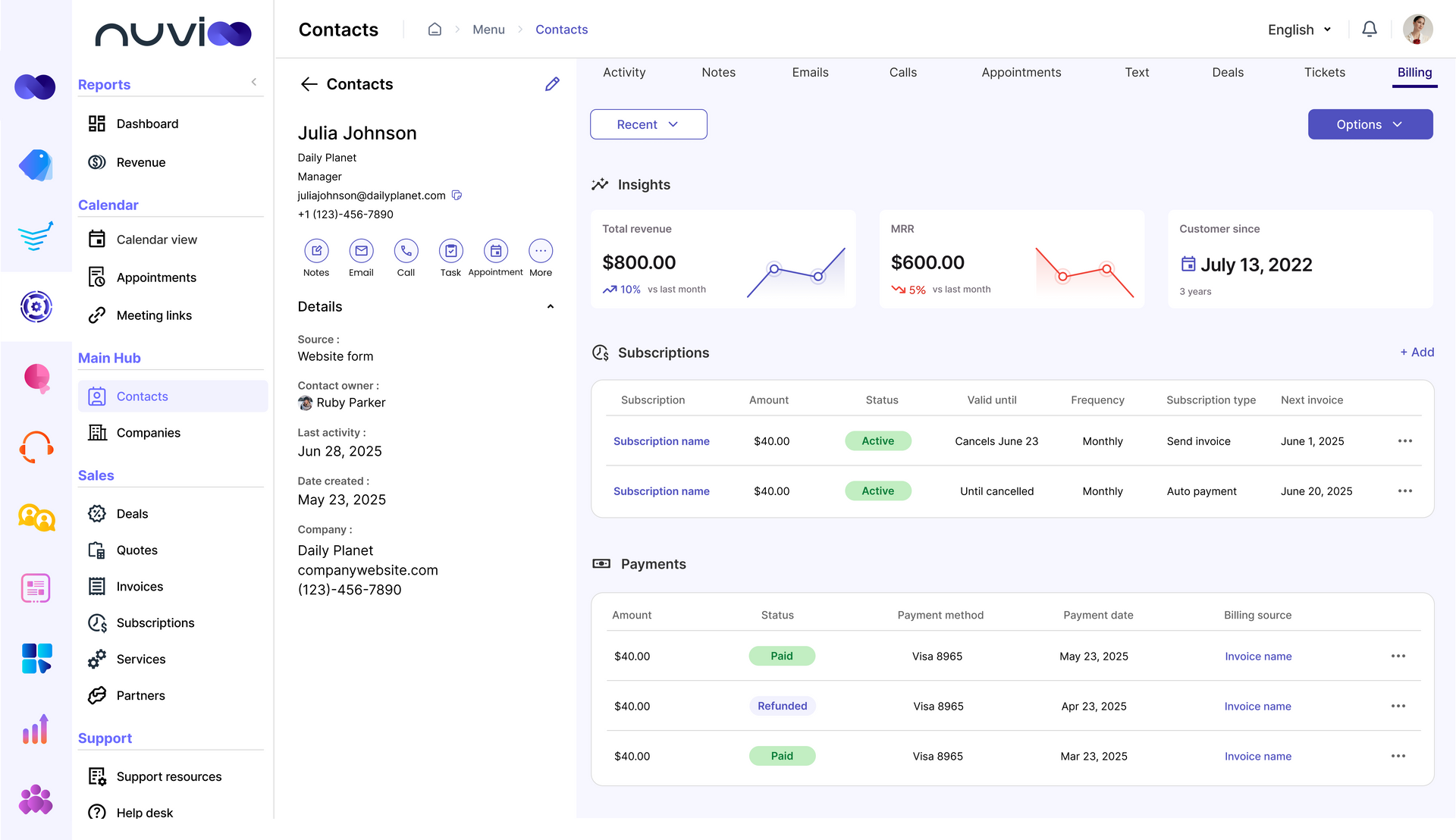
Client Insights Dashboard
- Track spend, lifetime value, and trends to grow client relationships.
Subscriptions & Billing History
- View active plans, invoices, and payments all in one simple dashboard.
Source Tracking & Attribution
- See where clients come from to optimize campaigns and marketing spend.
Built to Help You Understand Your Clients
Smarter Client Insights
- Track spend, lifetime value, and subscription activity so you know your best clients and how to keep them engaged.
Billing Made Simple
- View invoices, payment methods, and renewals in one place. Issue refunds or adjustments without losing visibility.
Know Where Clients Come From
- See if clients came from ads, referrals, or forms. Optimize your marketing with clear attribution.
Internal Notes & Ownership
Assign clients to staff, leave notes, and tag teammates to keep collaboration clear and accountable.
Clear Collaboration: Give your team full visibility into updates and client details, making coordinating and delivering a consistent experience easy.
Accountability Built In: Assign ownership so every client has a clear point of contact, ensuring follow-ups and tasks never slip through the cracks.
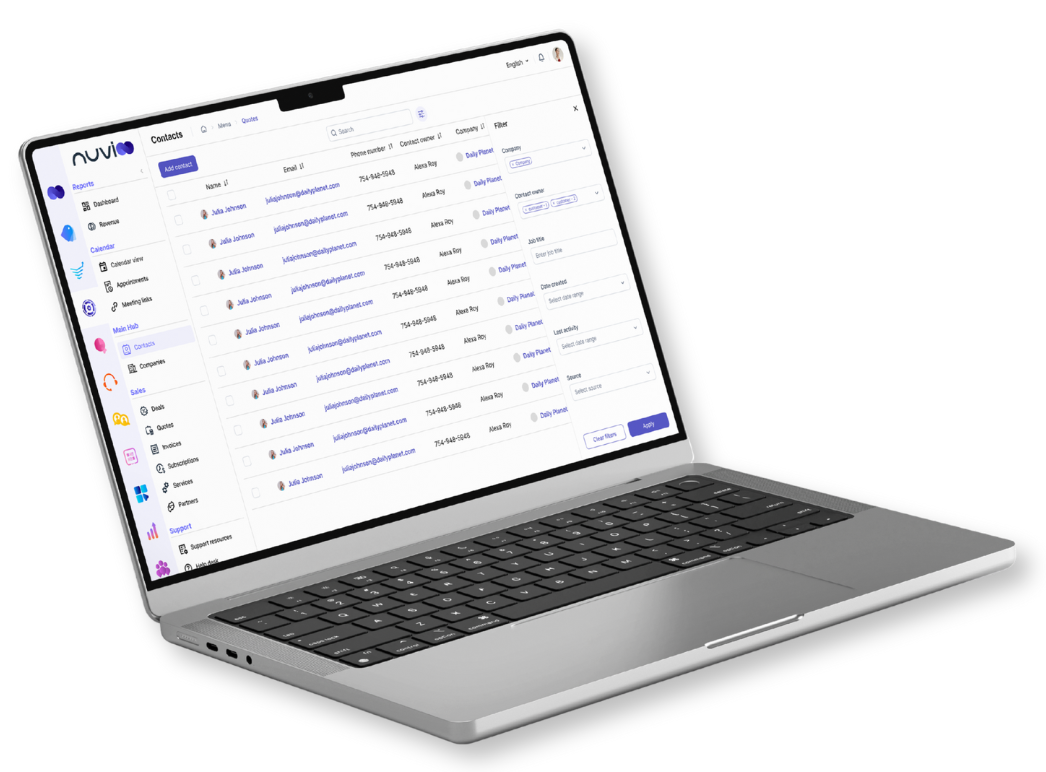
Advanced Filtering & Search
Quickly find clients with saved filters for tags, status, or behavior. Perfect for large databases.
Powerful Filters: Drill down by tags, status, subscription type, or activity so you can instantly access the exact segment of clients you need.
Streamlined Organization: Save frequently used searches and filters to simplify workflows, stay organized, and keep large client databases easy to manage.
Frequently Asked Questions
How does Nuvioo track client history?
Every call, text, appointment, and note is automatically logged in the client timeline for complete visibility.
Can I customize client fields?
Yes. You can add fields and tags to tailor profiles to your business needs.
Does billing sync with client records?
Absolutely. Every payment, invoice, and subscription connects directly to a client profile.
Can I see which marketing channels bring clients?
Yes. Nuvioo tracks source attribution so you know what campaigns or referrals are working.
Will my team be able to collaborate?
Yes. Staff can share notes, assign ownership, and manage clients without losing personal touch.